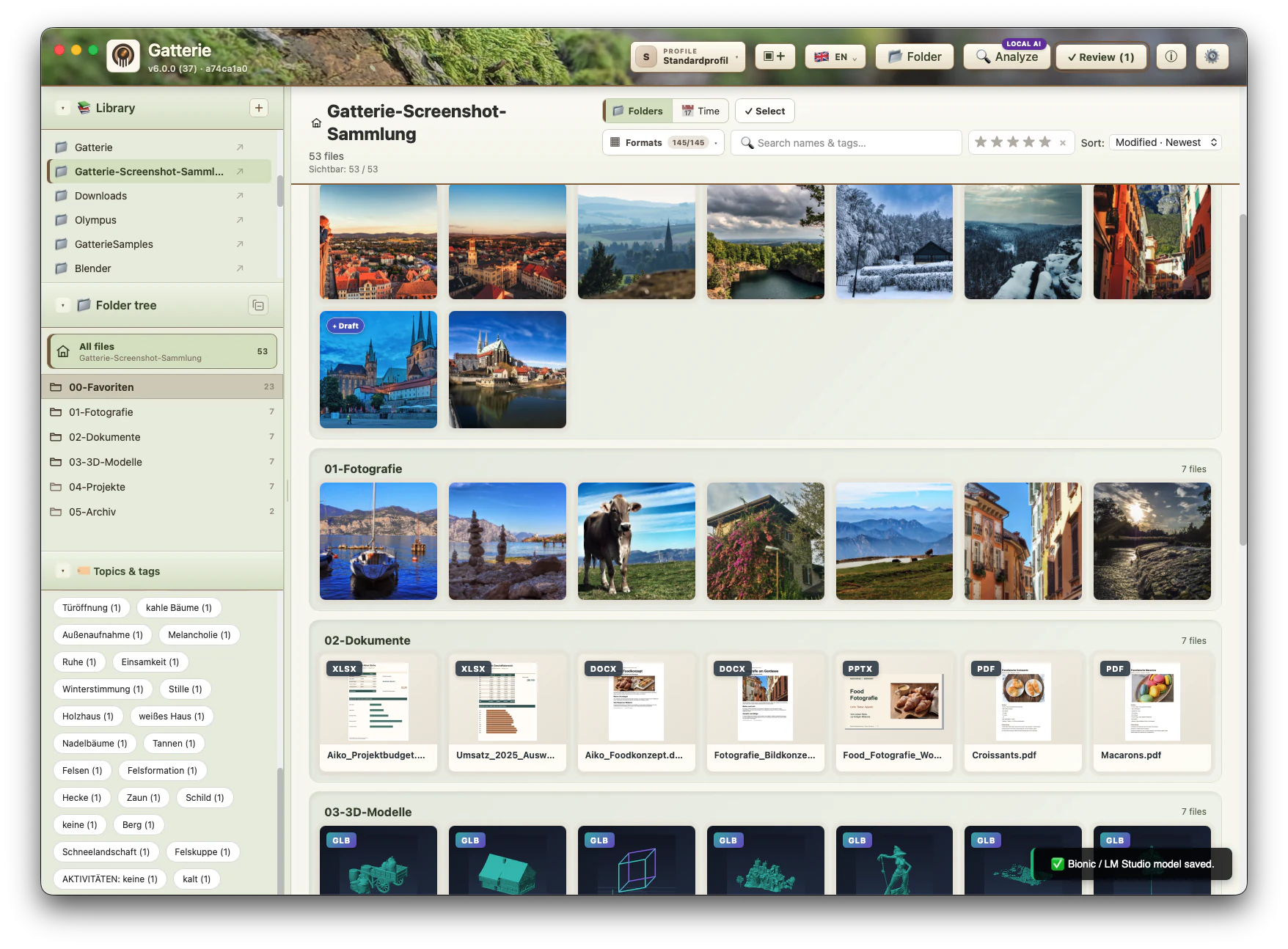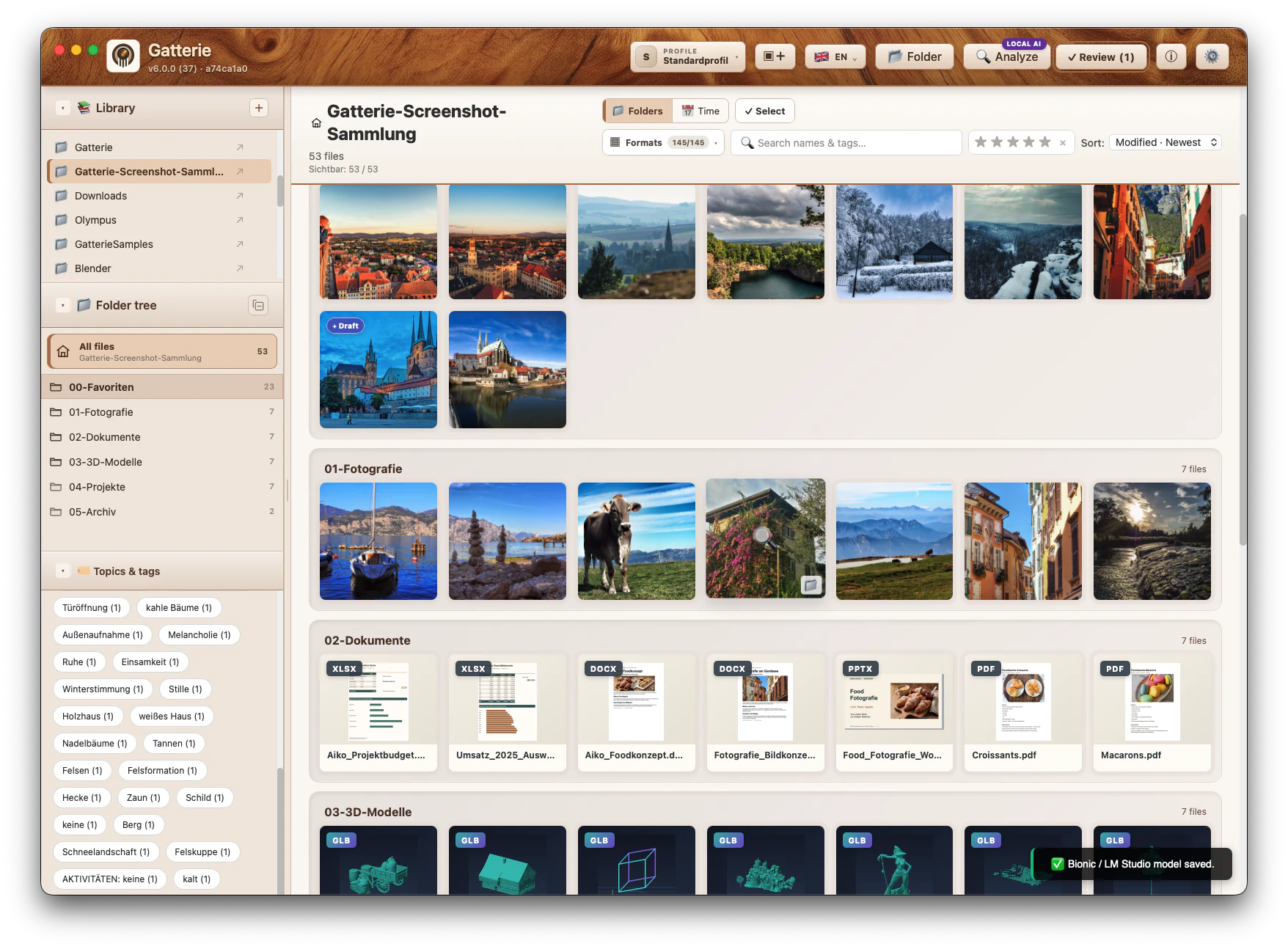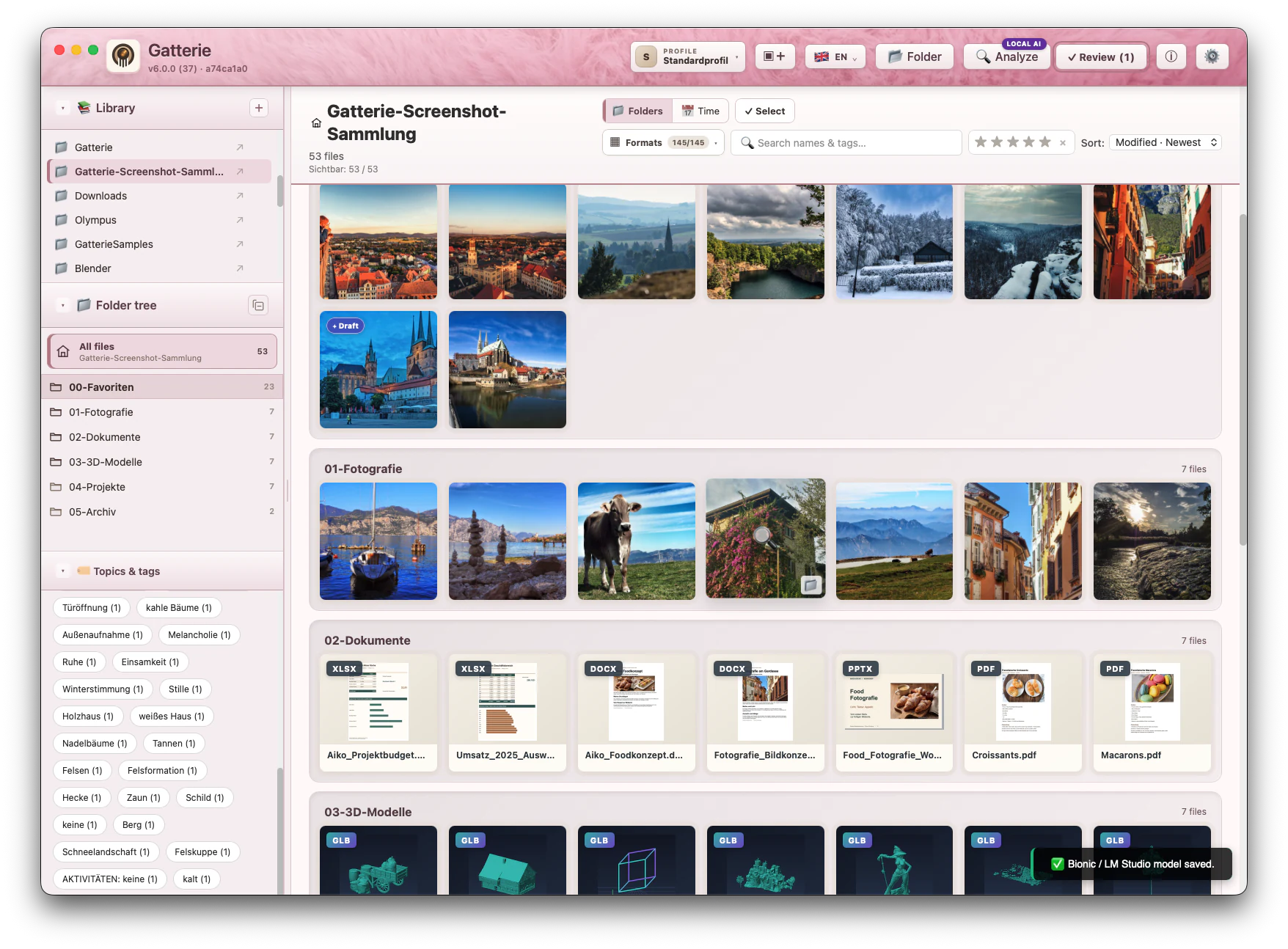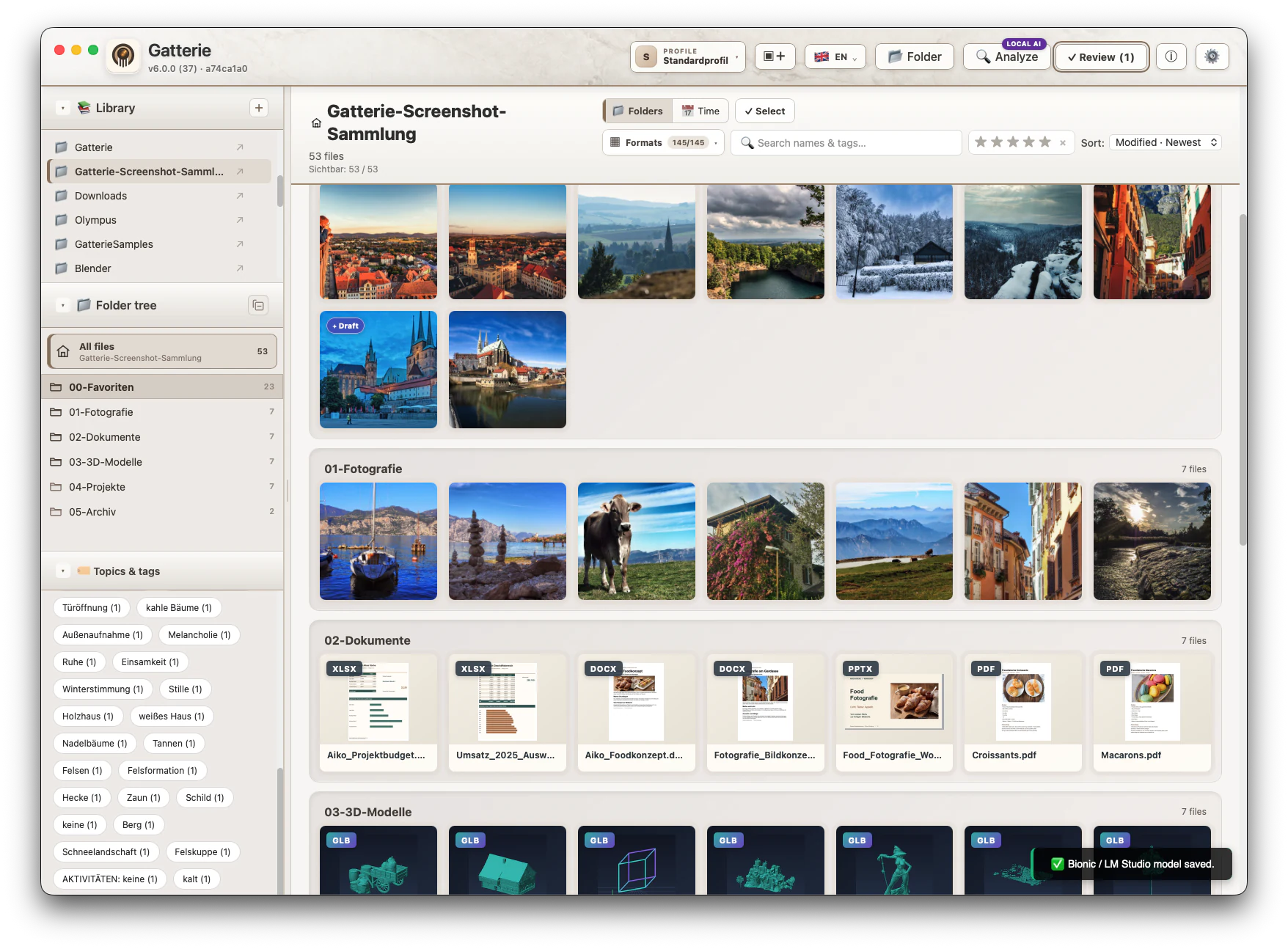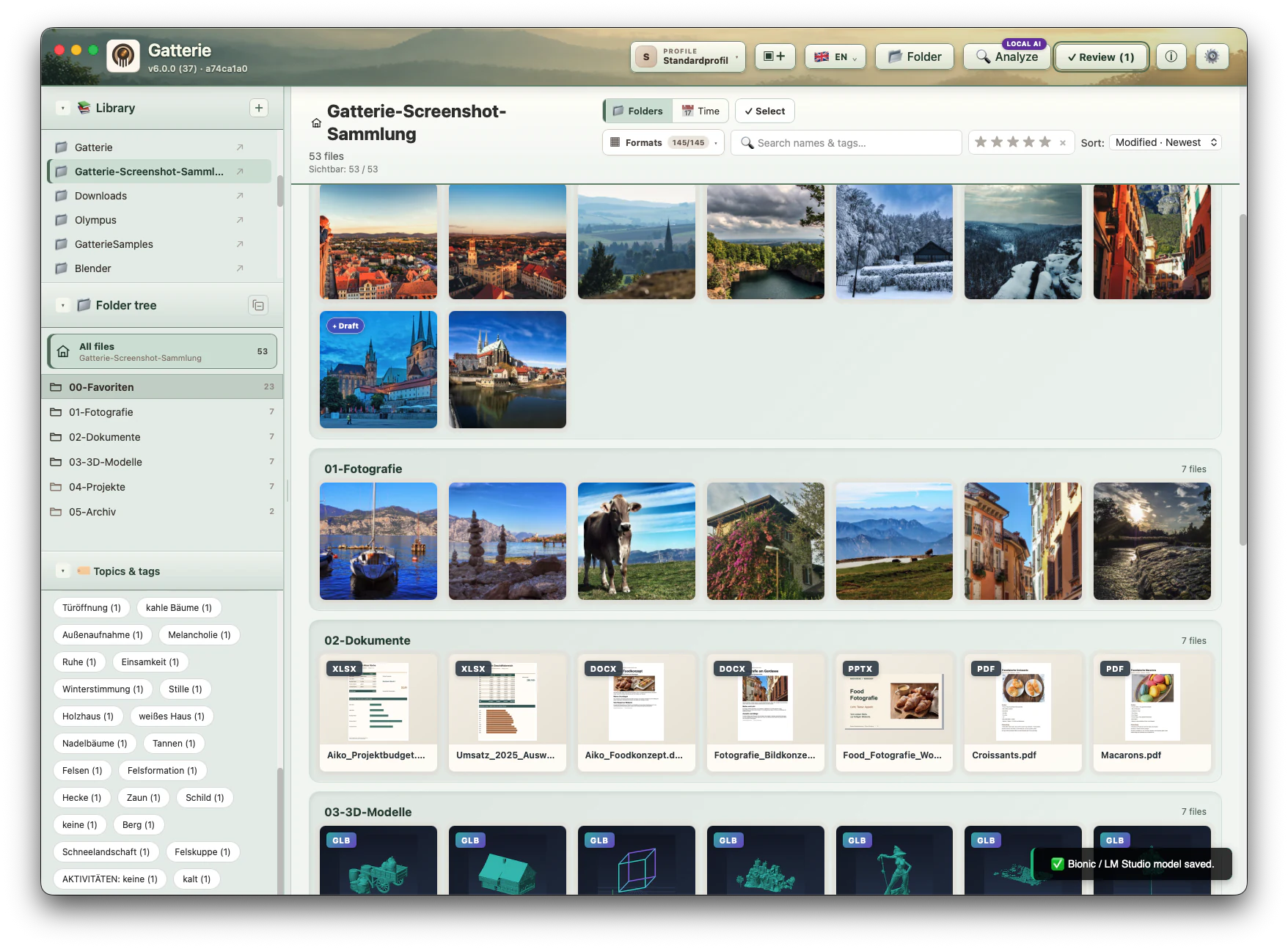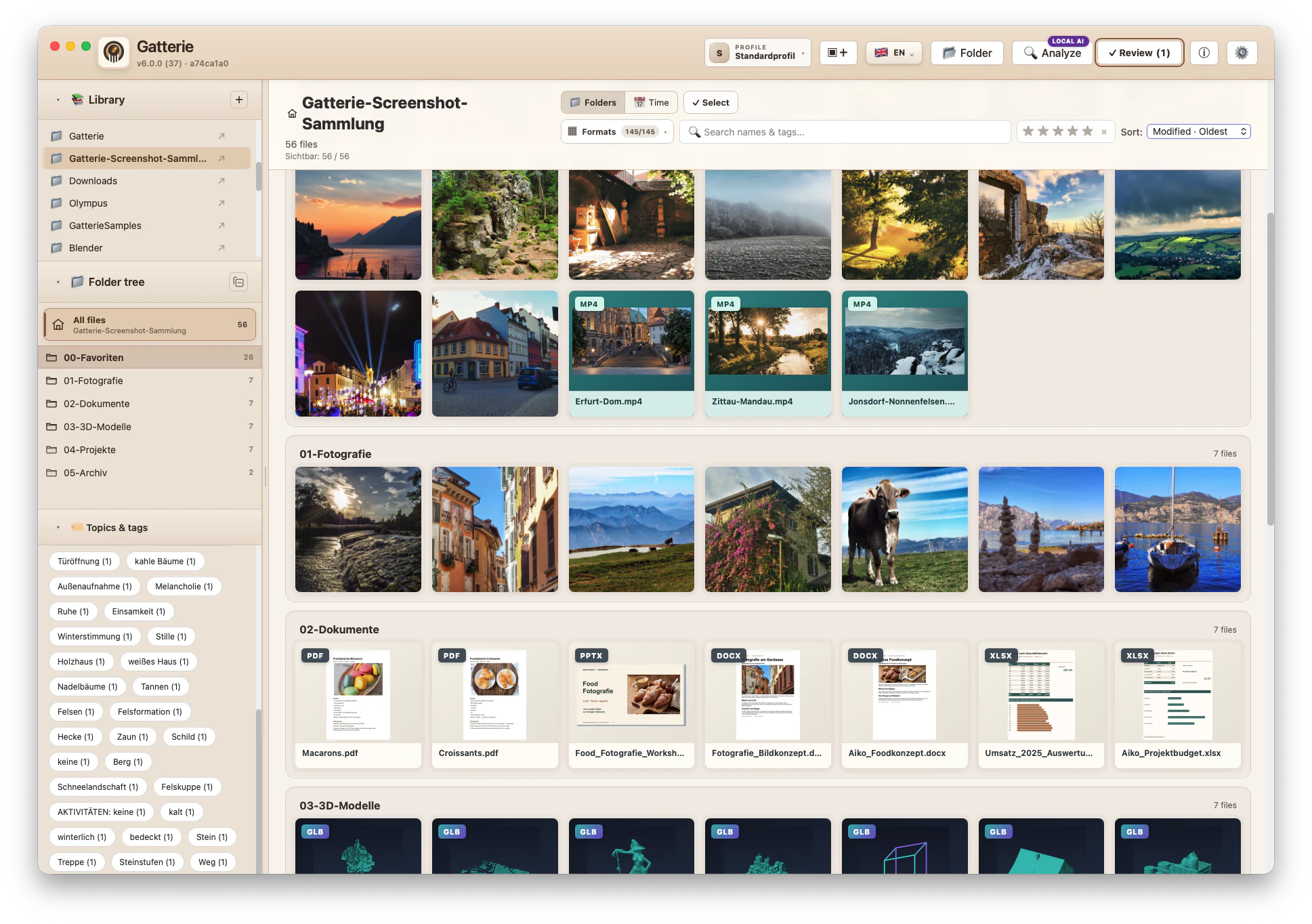
Your folders stay.
No move to a new media library. Gatterie works with your existing structure.
 GatterieVisual File Library
Your visual library for Mac
Photos, videos, documents and 3D models. Gatterie reveals
what’s inside your folders. Everything stays with you.
Get more from your images with local AI ↗
Apple Silicon · TestFlight No cloud required. No subscription.
No move to a new media library. Gatterie works with your existing structure.
From a favourite photo to a 3D model: browse visually, recognise and rediscover.
Local libraries, no telemetry and no account needed for the core features.
LOCAL AI · DISCOVER WHAT’S IN YOUR IMAGES
Get suggestions for tags, image descriptions and copy. Make your collection easier to search and turn an image into text you can work with.
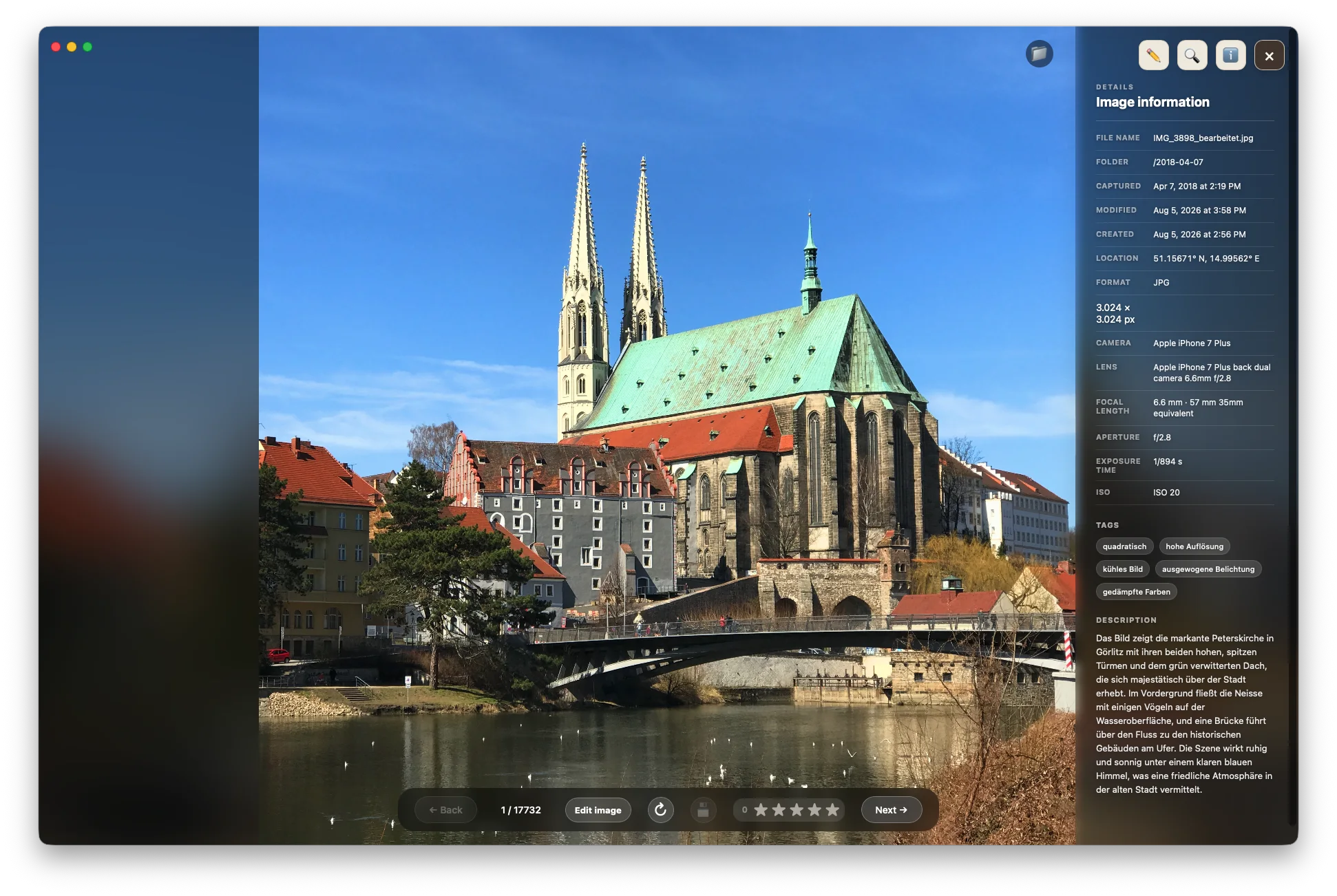 Local image analysis
Tags and descriptions for your images.
Draft alt text, product copy and social captions.
Review and edit suggestions before accepting them.
With a compatible local model through Bionic, LM Studio or Ollama. Optional – Gatterie also works without AI.
THE INTEGRATED 3D VIEWER
Go from thumbnail to model: rotate supported 3D files, zoom into details and inspect available materials and textures, right in Gatterie.
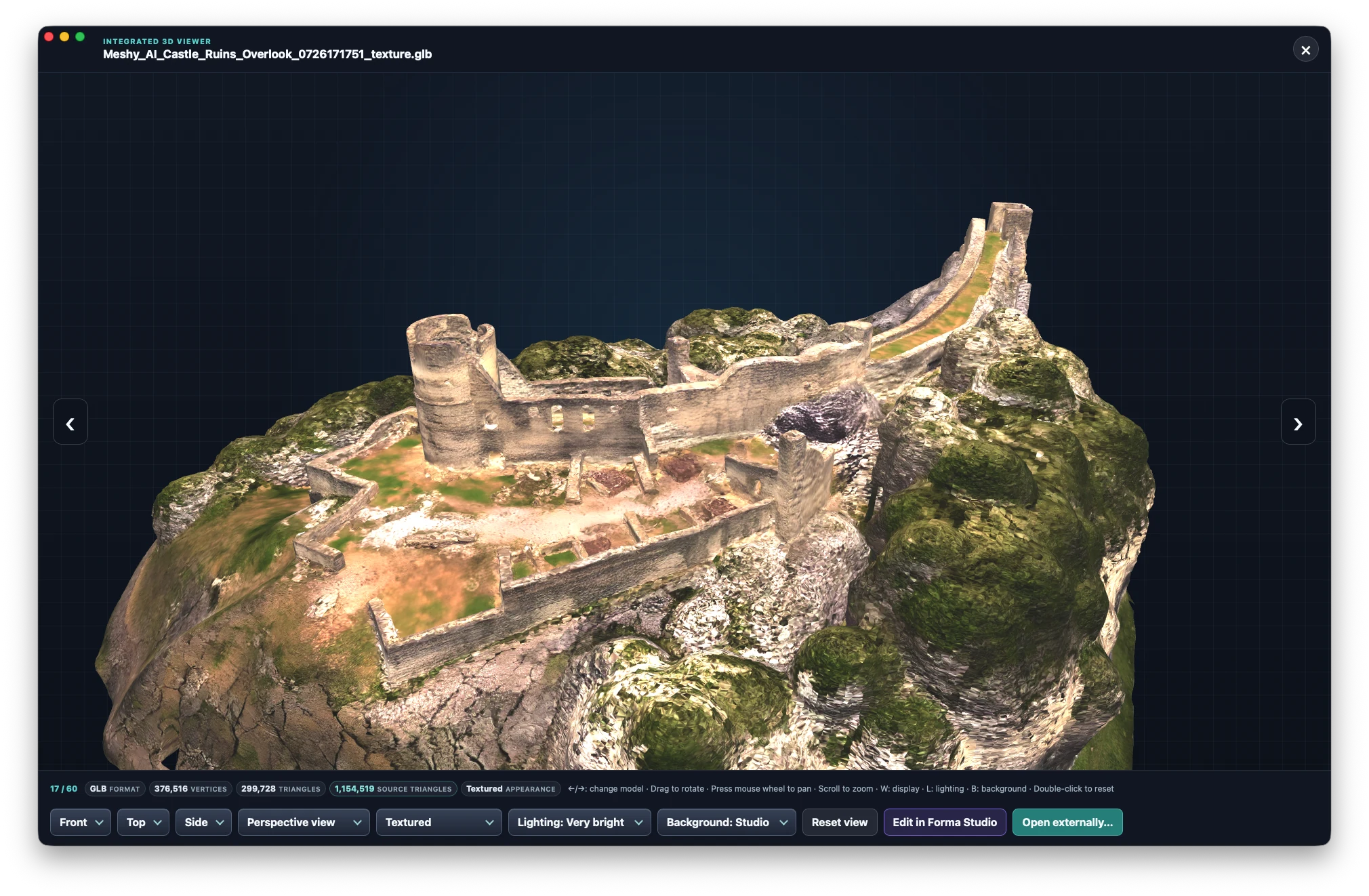
Change perspective and take a closer look at details.
View the model’s available colours and textures.
Move between models or open them in a specialist app.
Rendering depends on the format and model. Unsupported variants remain accessible as format tiles.
THE BUILT-IN IMAGE EDITOR
For a small correction you do not need a second program: brightness, contrast, saturation, shadows and highlights, free rotation and automatic straightening, guide lines, and cropping with common aspect ratios — right inside Gatterie.
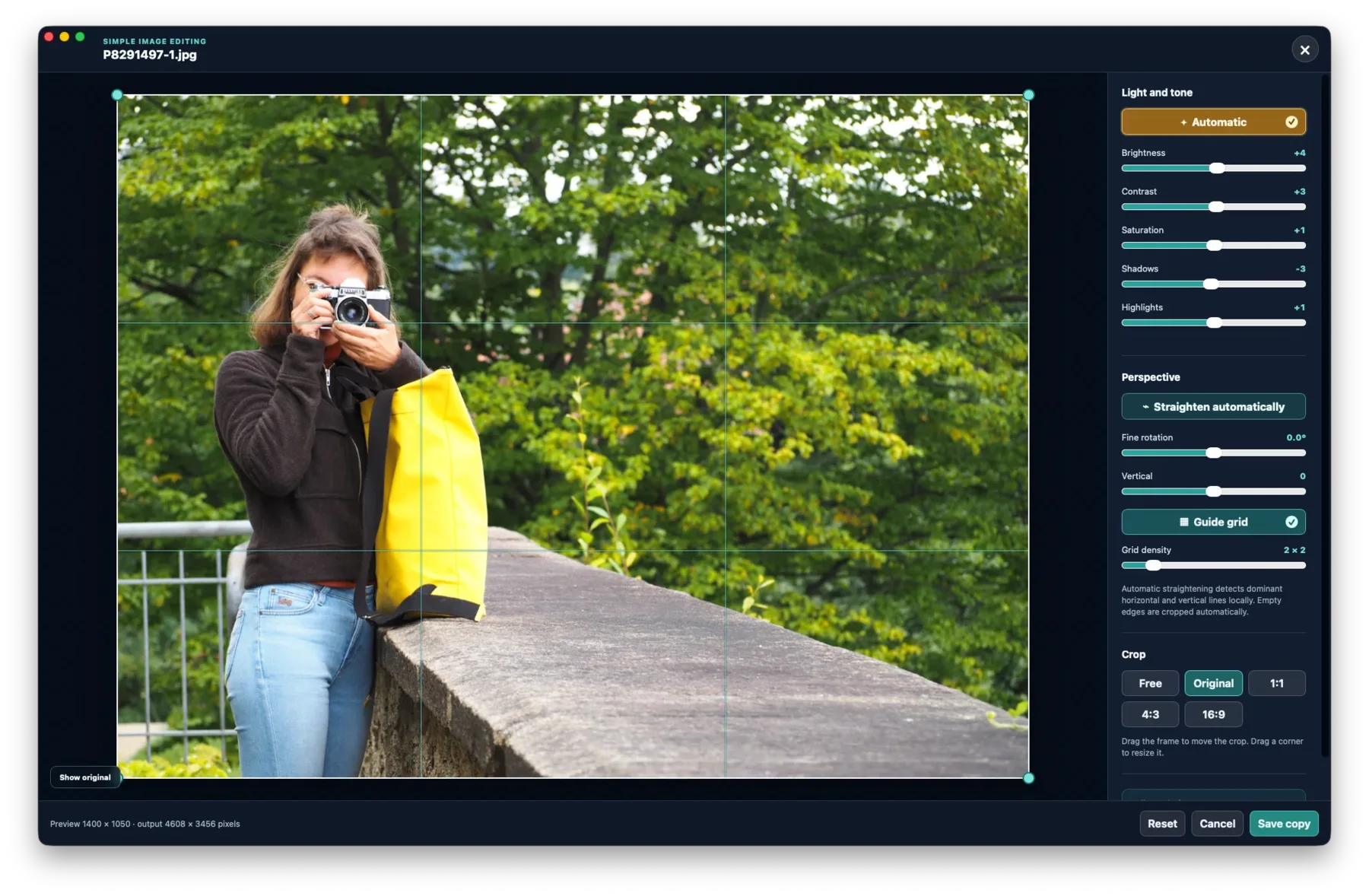
Adjust brightness, contrast, saturation, shadows and highlights.
Free rotation, vertical correction and automatic straightening.
With guide lines and common aspect ratios such as 4:3, 16:9 and 1:1.
Originals are only changed when you explicitly save. For a first try, a copy of important files is advisable.
SIX THEMES. YOUR STYLE.
From Mocca to Rainforest: six themes with their own character. Themes change the atmosphere while leaving your files and folders untouched.
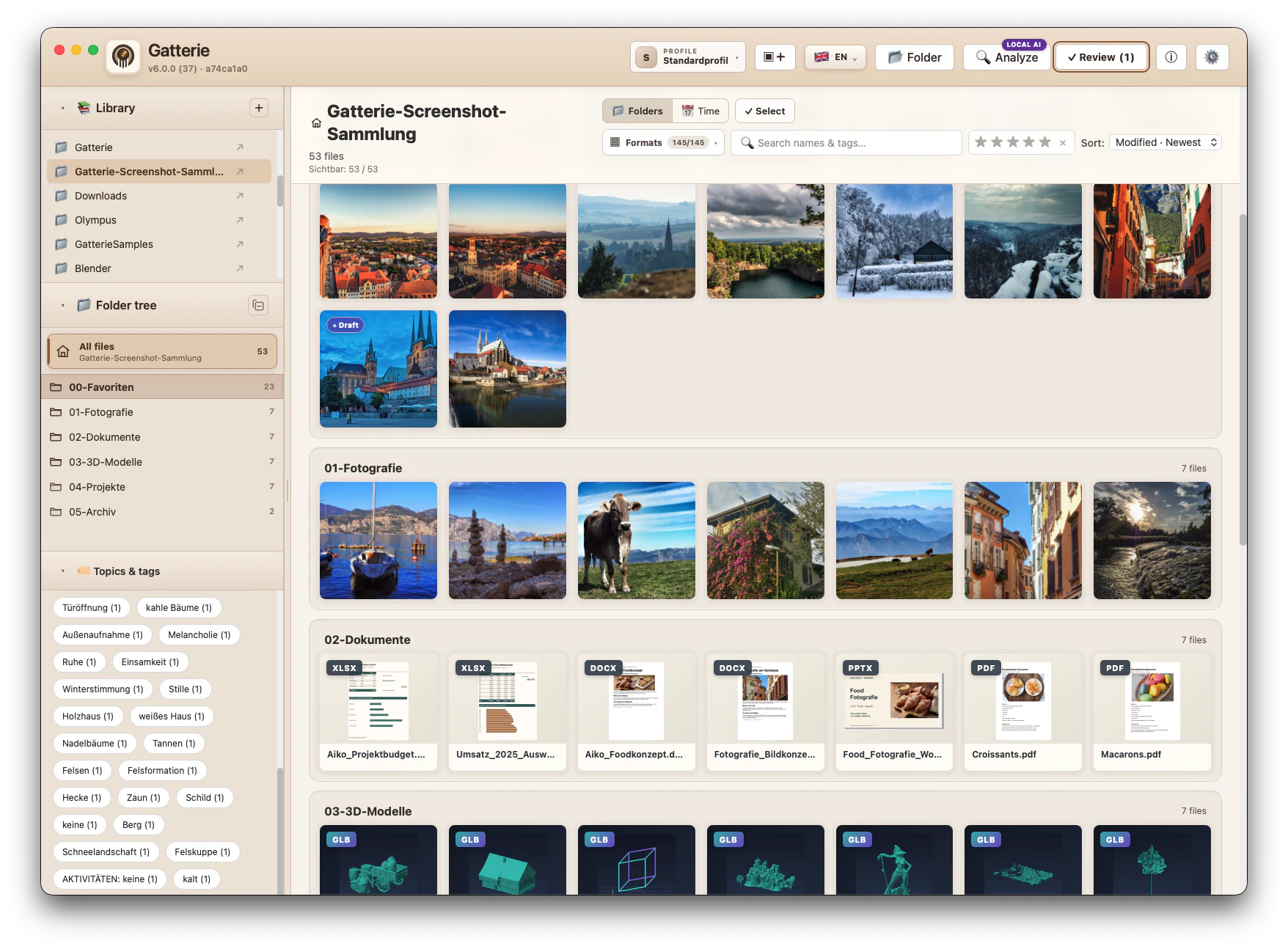
Mocca · Default theme
Local first. Naturally.
Gatterie needs no cloud media library. Your libraries and previews stay on your Mac. You choose which folders to allow – and you can get started without AI.
Good to know
Some things deserve a closer look.
Here’s where to find them.
Photos, RAW, documents, videos, creative files, archives, fonts, source code, 3D and CAD. Depending on the format, Gatterie displays a local preview, macOS Quick Look or a safe format tile.
JPG · JPEG · PNG · GIF · WEBP
CR2 · CR3 · DNG · NEF · NRW · ARW · SR2 · SRF · RAF · ORF · RW2 · PEF · SRW · RAW
PDF · DOC · DOCX · XLS · XLSX · PPT · PPTX · ODT · ODS · ODP · PAGES · NUMBERS · KEY · RTF · TXT · MD · MARKDOWN · CSV · TSV · EPUB · HTML · HTM
MOV · MP4 · M4V · AVI · MKV · WEBM · MPG · MPEG · M2V · MTS · M2TS · 3GP · 3G2 · WMV · ASF · FLV · OGV · VOB · DIVX · QT
PSD · AI · INDD · IDML · XCF
ZIP · TAR · TGZ · GZ · BZ2 · XZ · 7Z · RAR
TTF · OTF · TTC · OTC · WOFF · WOFF2
CSS · SCSS · SASS · LESS · JS · MJS · CJS · TS · JSX · TSX · VUE · SVELTE · PY · RS · SWIFT · C · H · CC · CPP · CXX · HPP · HXX · M · MM · GO · JAVA · KT · KTS · CS · PHP · RB · LUA · SQL · GRAPHQL · GQL · JSON · JSONC · YAML · YML · TOML · XML · PLIST · GDL · Dockerfile · Makefile · CMakeLists.txt
GLB · GLTF · FBX · OBJ · STL · USD · USDA · USDC · USDZ · DAE · PLY · 3DS · BLEND · C4D · PLN · PLA · GSM · DXF · 3MF
Quick Look previews depend on macOS and installed apps. Unknown, executable and hidden files are not added to the gallery.
Standard image editing and metadata export create a new image copy. EXIF, IPTC and XMP can be read directly from the file. AI results start as drafts for you to review.
Only an explicitly selected expert option can change the original after a warning. Try the beta with a copy of your collection first.
No. File management, search, 3D and the image editor work without additional AI. For AI suggestions, optionally connect a compatible local service such as LM Studio or Ollama. The model is set up separately.
Tags, descriptions and content drafts can be created in German and English. Review the results before accepting them or writing them to a file.
The current TestFlight beta is free. For the first Mac App Store release of Gatterie 6, the planned euro price is €29.99 at launch and €39.99 thereafter.
One purchase includes all released features, including 3D, the image editor and themes. No in-app purchases or subscription. A future major generation may be a new purchase; Gatterie 6 remains usable without a time limit.
Gatterie is a one-time purchase, not a subscription. For managing photos alone there are free programs, and anyone who only browses images will usually be happy with them — Gatterie would then be more than you need.
Gatterie is worth it when the same folders hold more than images: PDFs, office documents, archives, fonts, source code as well as 3D and CAD files. Searching that collection in one view, seeing previews and rotating models directly is the difference. Add the built-in image editor and local AI — both without an account, without a cloud and without monthly costs.
Whether that is worth the price depends on what is in your folders. If you are unsure, try the free beta.
The Mac beta is for Macs with Apple silicon (M1 or newer). The first public App Store release is planned for Mac.
A separate experimental Mobile Beta is available for iPhone and iPad and may have a different feature set. A public mobile release is planned only after a stable Mac launch and full mobile acceptance testing.
Go to the iPhone & iPad betaThe public Mac beta is here
Discover Gatterie with your own collection.
Your feedback helps make the next version better.
The link takes you directly to Apple TestFlight.
Install Apple’s TestFlight app and download Gatterie.
Start with a test copy and send feedback through TestFlight.
Join while places are available · up to 500 testers · managed by Apple, no sign-up on this website.
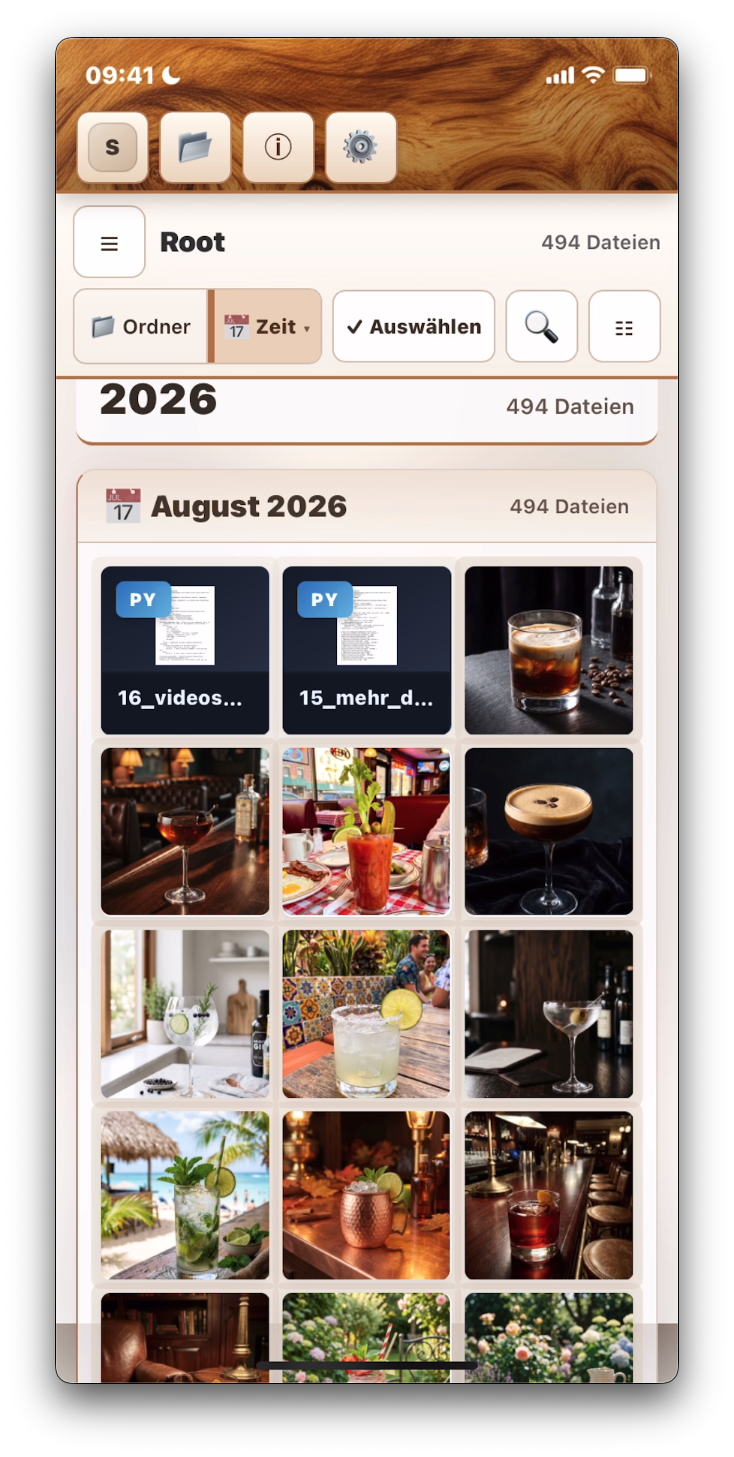
Gatterie on the go
As a separate experimental Mobile Beta. Features may differ from the Mac version.
Open the Mobile Beta in TestFlightFor the smoothest setup, open the link directly on your iPhone or iPad.